Bot information and configuration
In this section, you can configure everything related to Aless through a form containing the following fields:
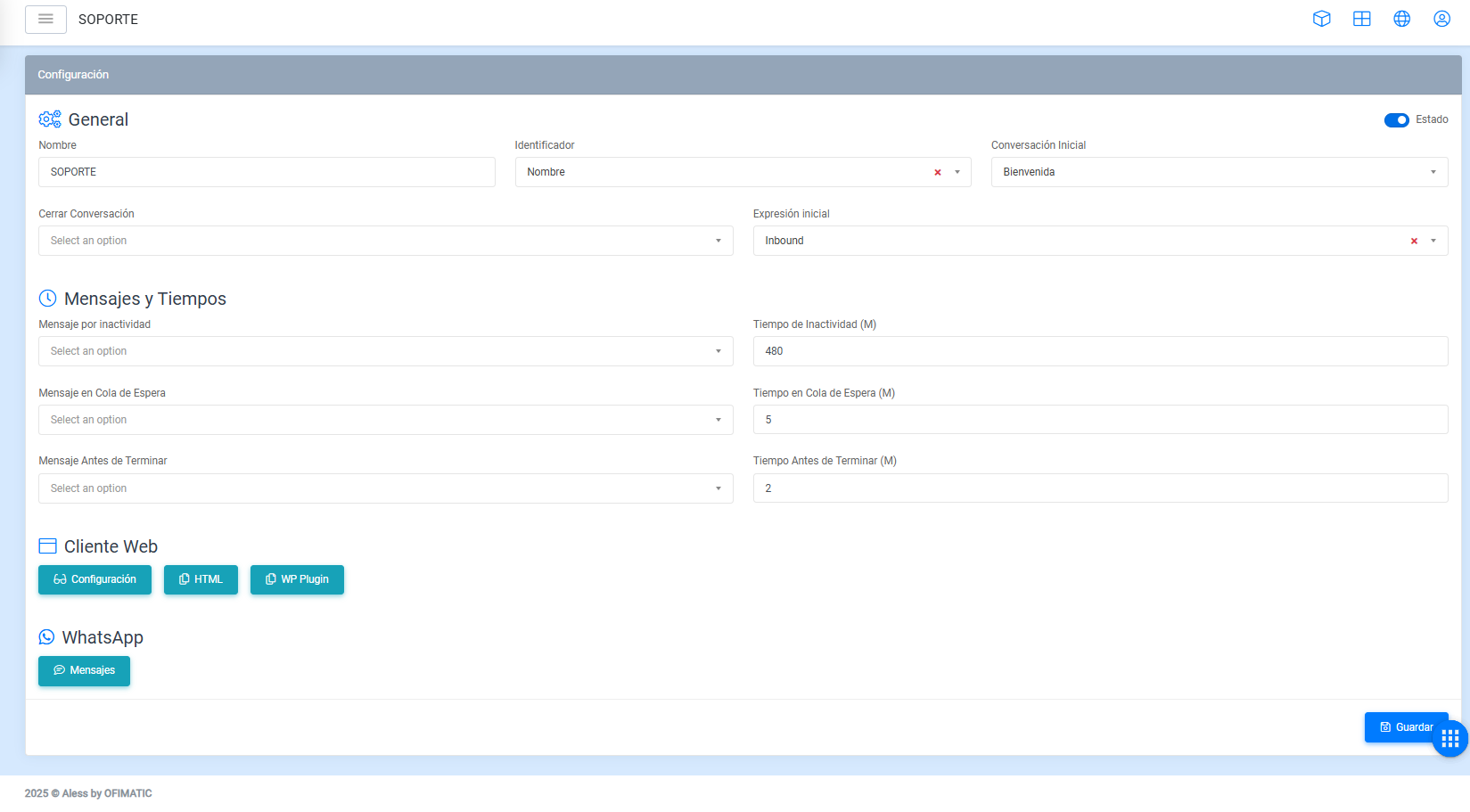
- Name: allows you to change the chatbot name.
- Identifier: corresponds to the identifier used to recognize each incoming user.
- Status: indicates whether the bot is active or inactive. By default, this option is enabled. If you want to deactivate the bot, you can uncheck this option.
- Default scripts: allows you to define the default script used when a customer writes to the bot.
- Initial conversation: allows you to indicate the initial conversation with which the flow starts.
- Close conversation: allows you to indicate the script or flow that is activated when an agent ends the conversation with the user.
- Inactivity time: allows you to indicate the inactivity time of a conversation, expressed in minutes.
- Chatroom waiting message: allows you to indicate the configured message used to inform the user that they will be assisted.
- Chatroom waiting time: allows you to indicate how often, in minutes, the
chatroom waiting messagewill be sent to the user. - Conversation about to end message: allows you to indicate the message that will be sent to users when the conversation is about to end.
- Conversation about to end message time: allows you to indicate the time when the conversation about to end message will be sent.
Configuration
Web client
- Visual: allows you to configure everything related to the appearance of Aless.
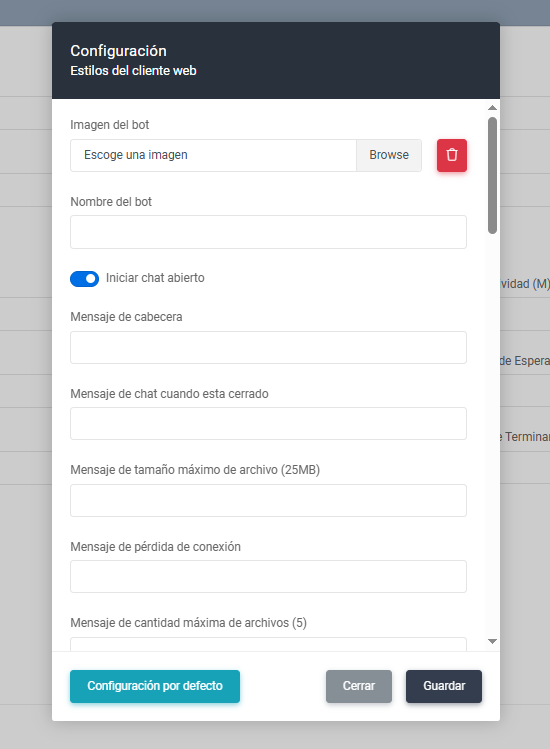
- Default configuration: loads the default web client configuration.
- Close: closes the window without saving changes to the web client.
- Save: saves the changes made to the web client.
- HTML: copies the configured script used to embed the bot on the customer’s website.
- WP Plugin: copies the WordPress plugin.
WhatsApp client
- Visual: allows you to configure custom WhatsApp messages.
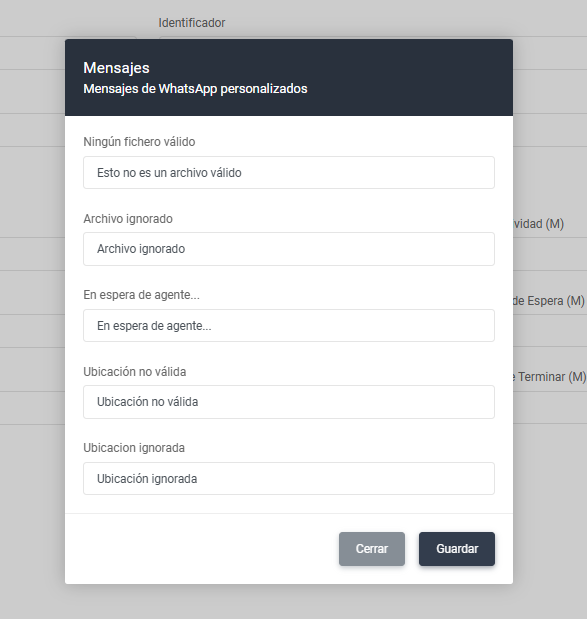
- Close: closes the window without saving changes to the WhatsApp client.
- Save: saves the changes made to the WhatsApp client.