Chatroom
This section displays the chatrooms that are currently active.
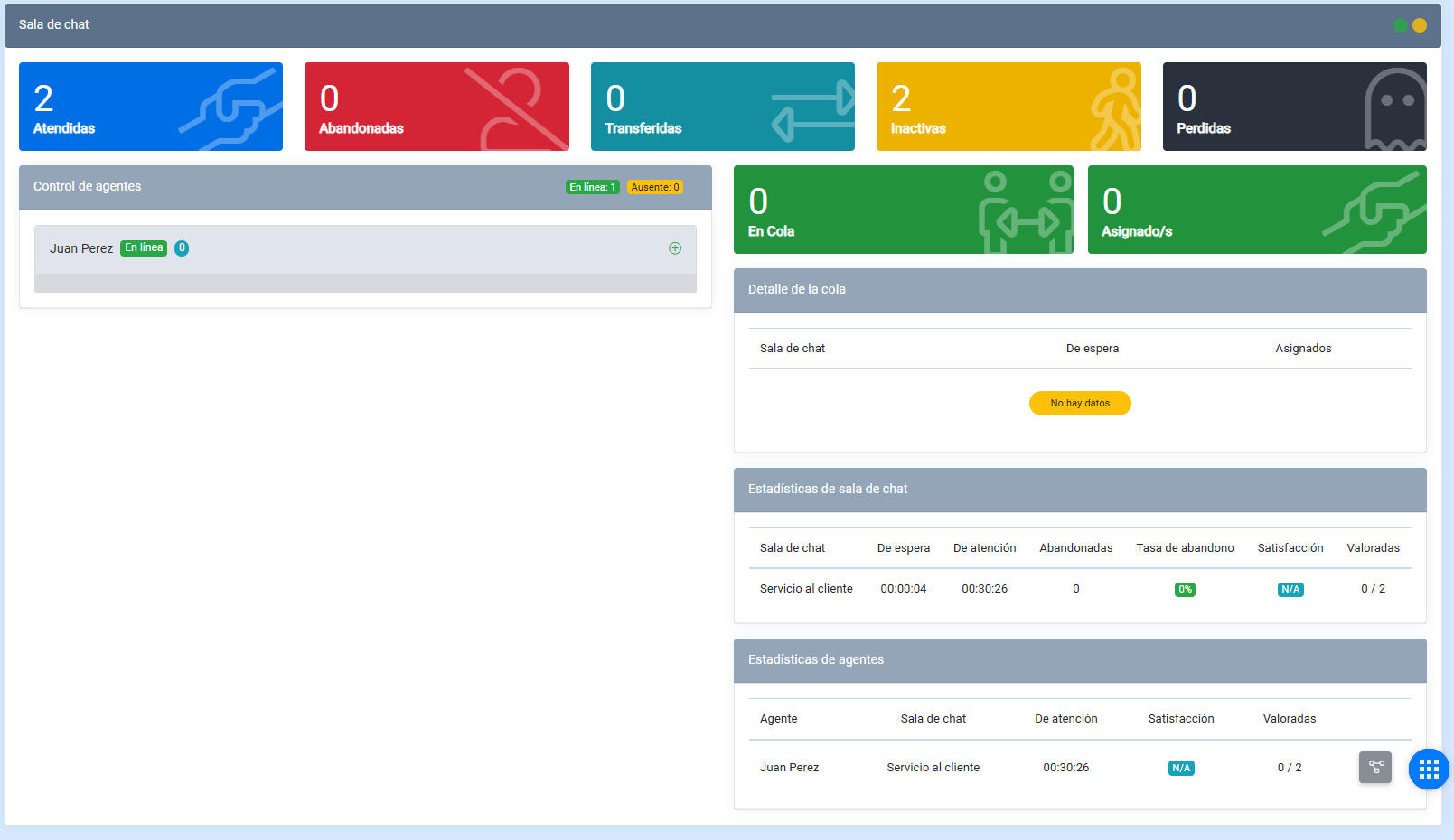
Handled
These are conversations that were assigned to an agent.

Abandoned
These are conversations that were abandoned, meaning they were not handled by agents.
Transferred
These are conversations that were transferred to a department or an agent.
Inactive
These are conversations that were closed due to inactivity. If the user or the agent did not write or respond on time, the conversation is counted in this metric.
Lost
These conversations, like abandoned and inactive conversations, are counted when the conversation was transferred and was not successfully handled.
Agent control
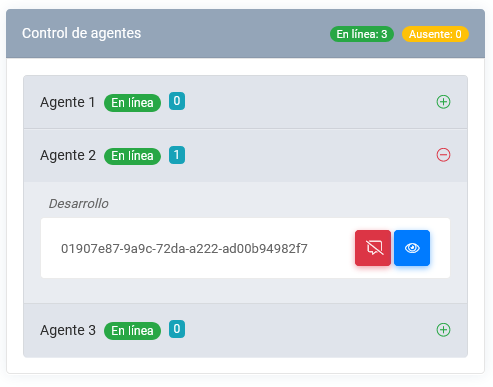
In this space, the administrator can monitor each agent’s status and verify whether they are Online or Unavailable.
Agent control
Administrative users can view conversations in real time and can also end agent conversations.
In queue
In this section, you can view the total number of conversations in queue before they are passed to an agent.
Assigned
In this section, you can view the total number of conversations assigned to agents.
Queue details
This section displays queue statistics.
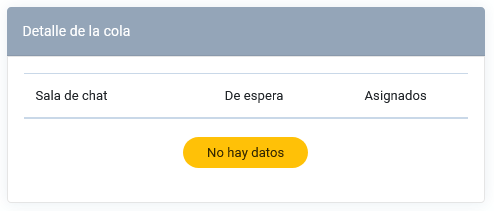
The table shows the following:
- Chatroom: indicates the name of the department or chatroom.
- Waiting: indicates the number of conversations currently waiting.
- Assigned: indicates the number of conversations that are assigned.
Chatroom statistics
This section displays chatroom statistics.
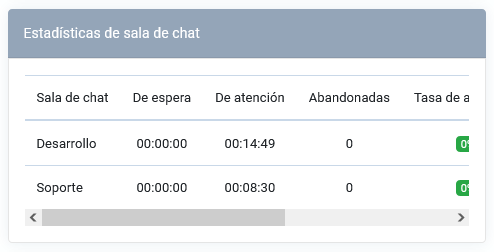
The table shows the following:
- Chatroom: indicates the name of the chatroom.
- Waiting time: indicates how long conversations remain waiting.
- Handling time: indicates the time spent handling users.
- Abandoned: indicates the number of abandoned conversations.
- Abandonment rate: indicates the abandonment rate of the chatroom.
- Satisfaction: indicates the satisfaction level of the chatroom.
- Rated: shows the number of rated conversations and the total number of conversations, using the following format: (number of rated conversations / total number of conversations).
Agent statistics
This section displays agent statistics.
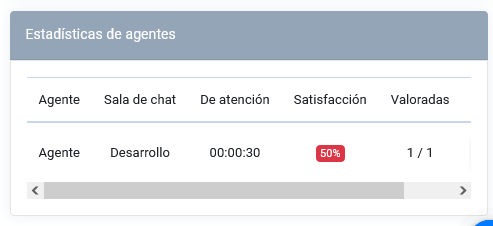
- Agent: indicates the agent’s name.
- Chatroom: shows the chatroom to which the agent is assigned.
- Handling time: indicates the time spent handling users.
- Satisfaction: indicates the satisfaction level associated with the agent.
- Rated: shows the number of rated conversations and the total number of conversations, using the following format: (number of rated conversations / total number of conversations).