Platforms
In this section, you can view all phone numbers associated with a bot. The table displays the following fields:
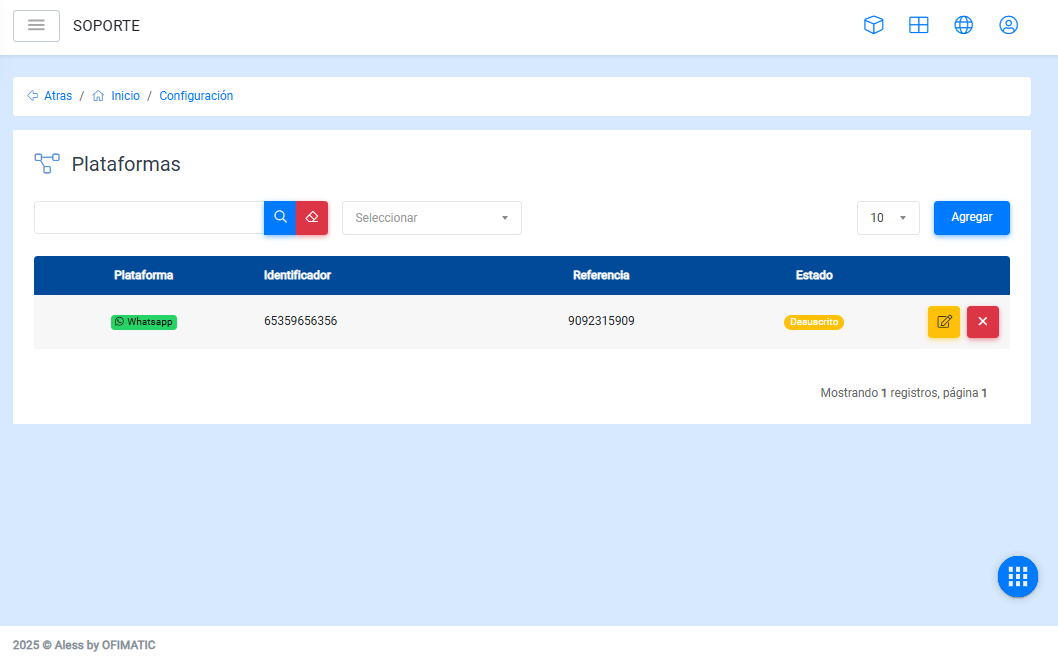
- Phone identifier: unique identifier provided by Meta.
- Phone: phone number that the user will use to write and interact with Aless.
- Subscribed: indicates whether the number is active or inactive.
- Options: allows you to access the available actions for the platform, such as Edit.
Add
In this section, you can add a new WhatsApp connection by completing the displayed form.
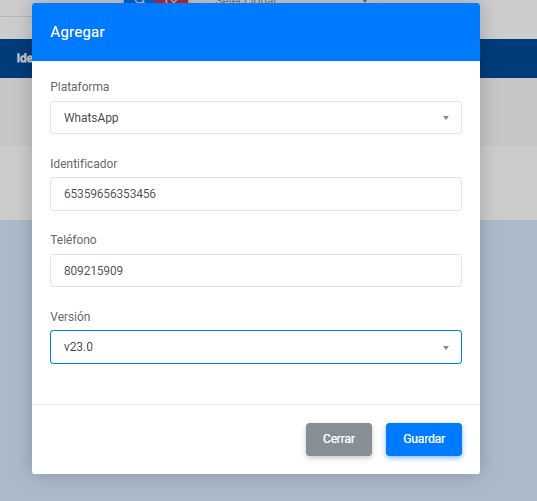
The form contains the following fields:
- Phone identifier: allows you to enter the unique identifier of the phone number.
- Phone: allows you to enter the phone number where Aless will be hosted.
- Version: allows you to select the WhatsApp version where Aless will be hosted.
Edit
In this option, you can edit the WhatsApp bots that are already configured.
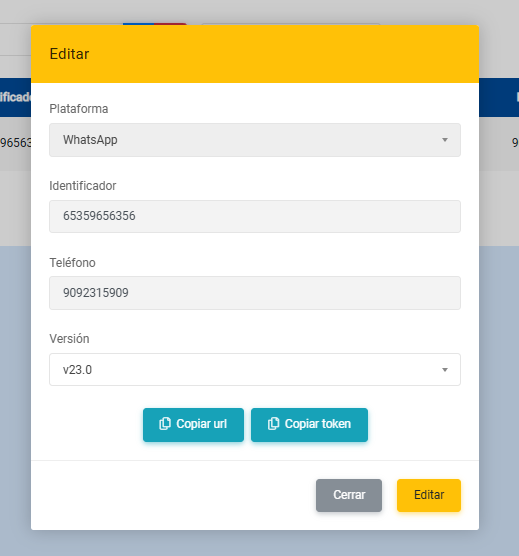
This form displays the following fields and options:
- Phone identifier: allows you to enter the unique identifier of the phone number.
- Phone: allows you to enter the phone number where Aless will be hosted.
- Version: allows you to select the WhatsApp version where Aless will be hosted.
- Copy URL: allows you to copy the bot URL.
- Copy token: allows you to copy the bot authentication token.