Connect your phone number
To connect your phone number to your WhatsApp Business account, follow these steps:
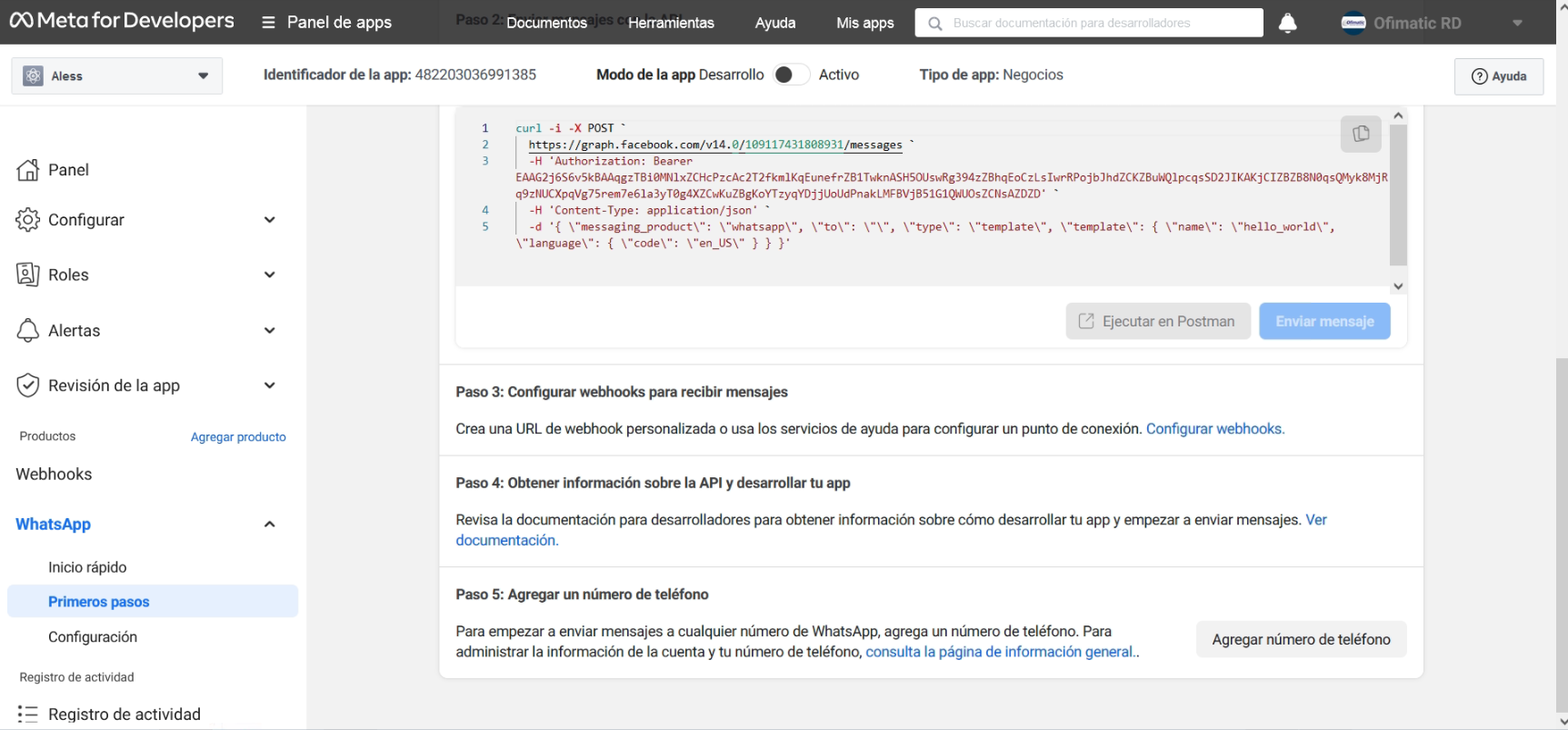
- Click Add phone number to connect a phone number to your WhatsApp Business account.
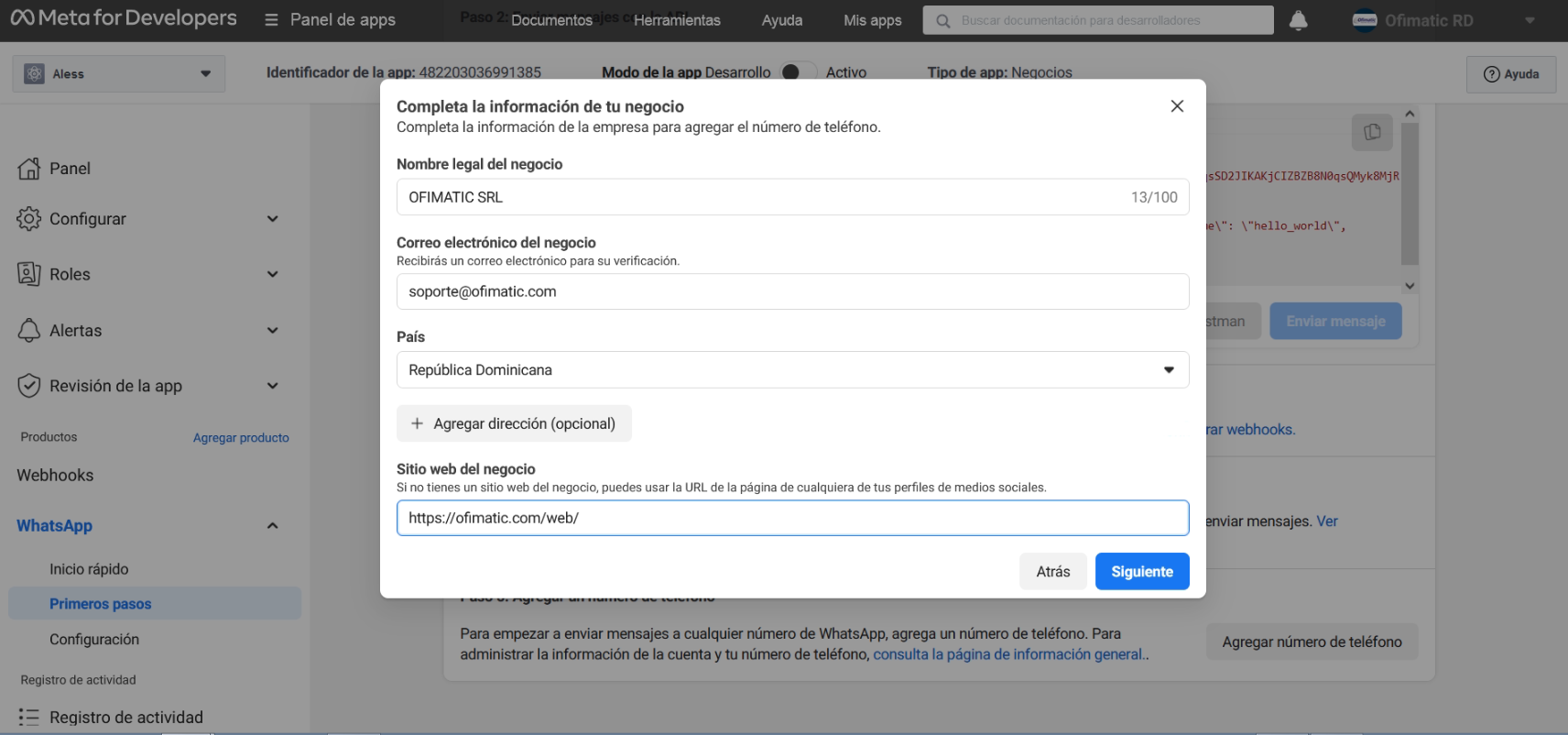
- Complete your company information and click Next.
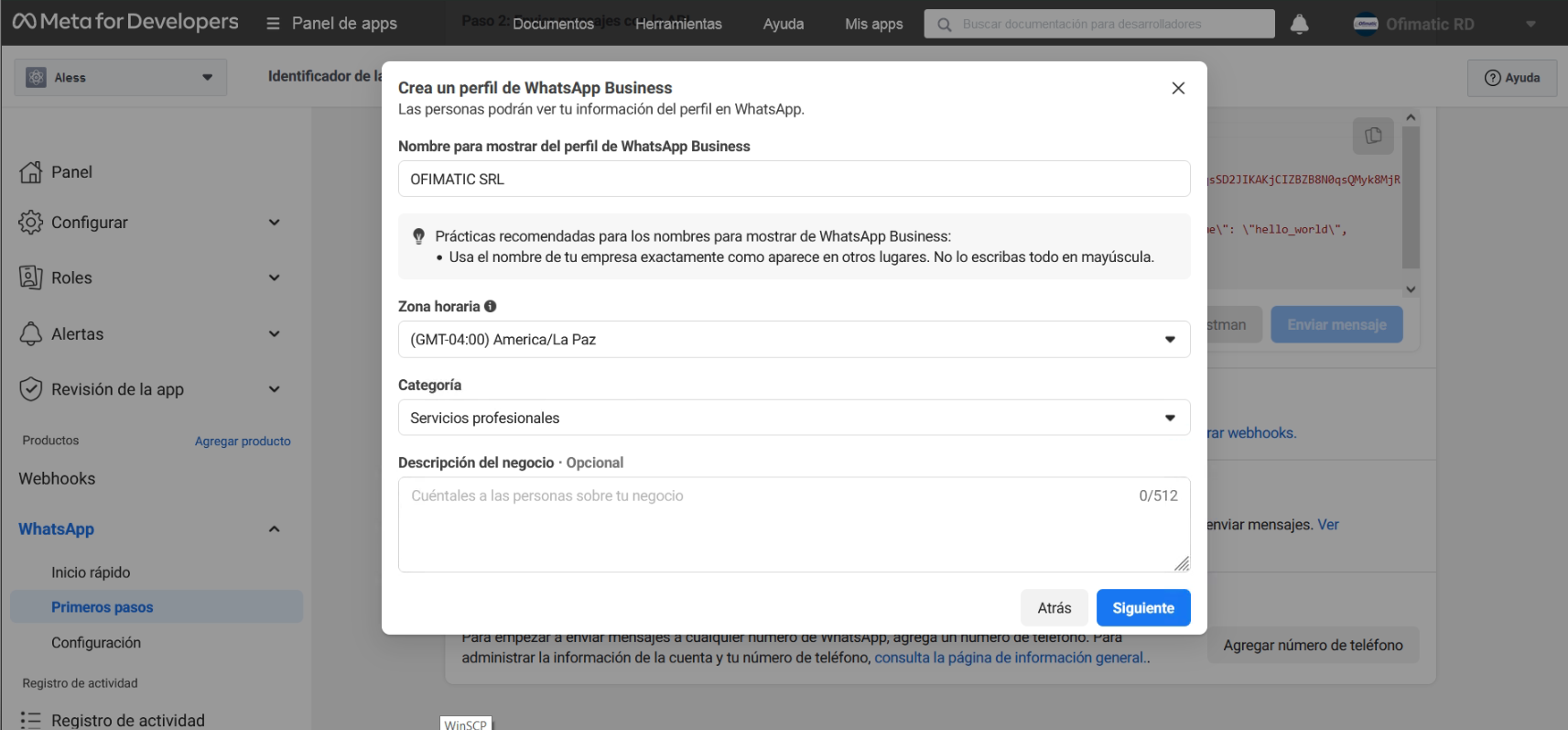
- Complete your WhatsApp business profile information and click Next.
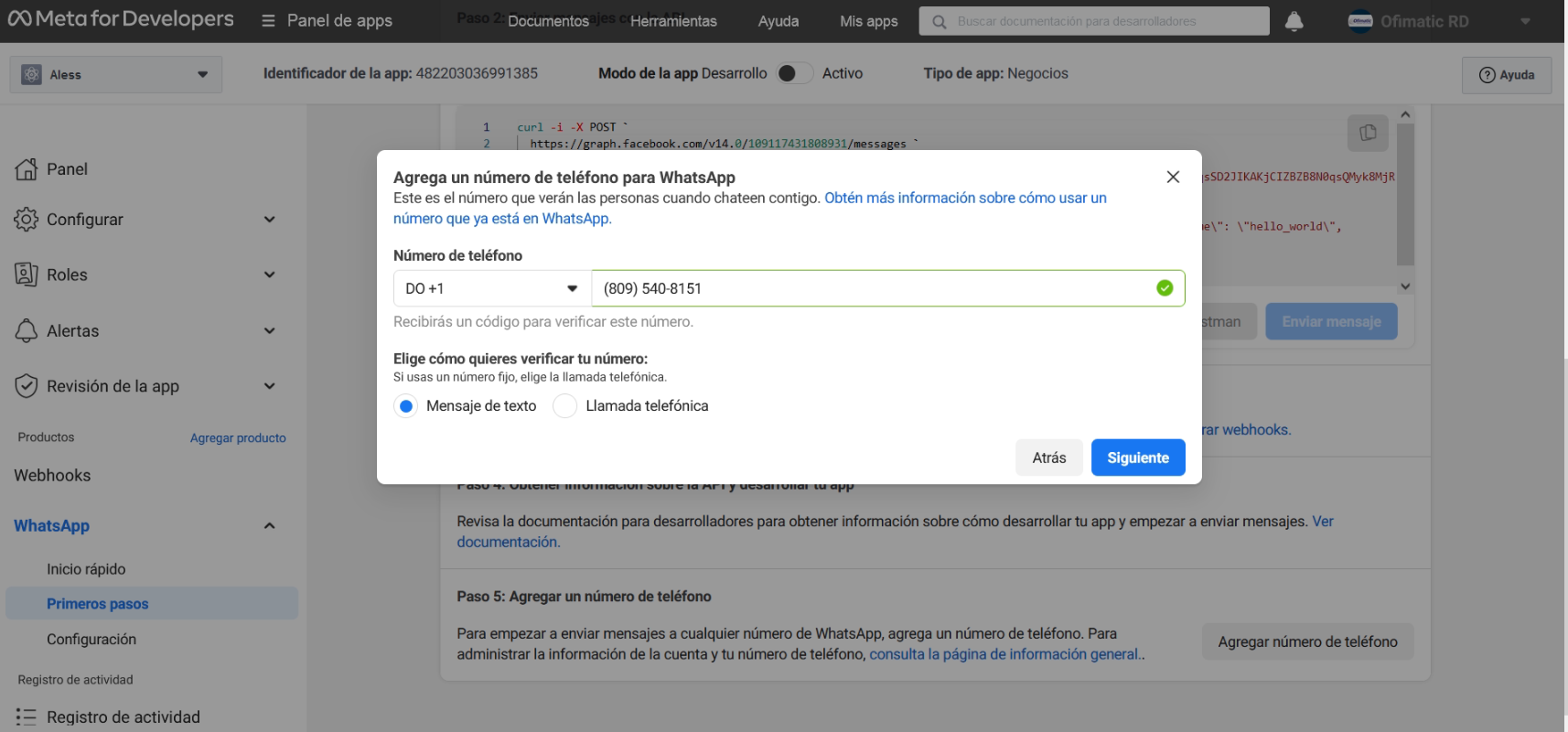
- Add a phone number for your WhatsApp Cloud API. Keep in mind that the number you add cannot be linked to an existing WhatsApp account.
-
Verify the phone number you added. A 6-digit verification code will be sent to the number. Enter the verification code once you receive it.
-
Review the Send and receive messages section. The number you added will be displayed there.
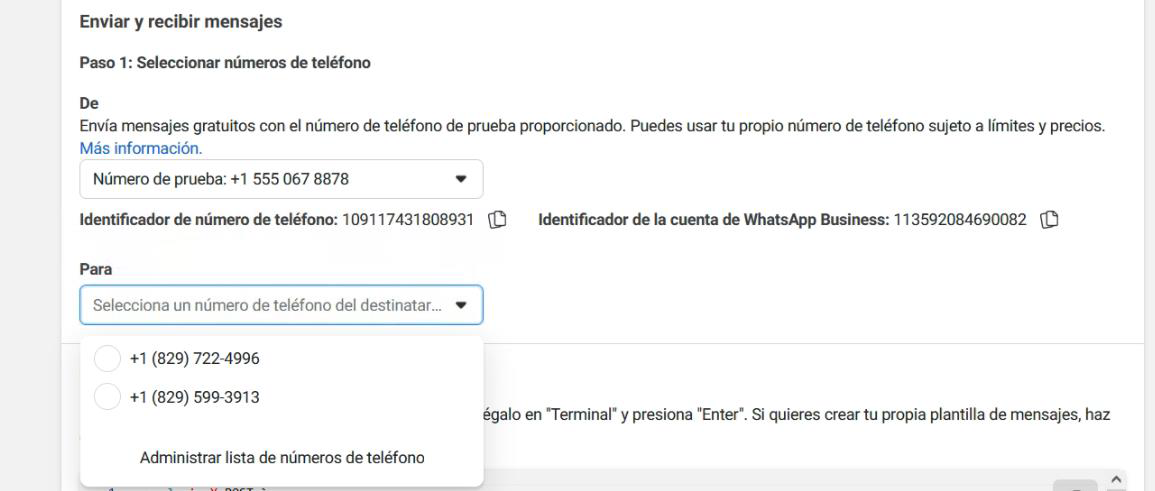
Once these steps are completed, the phone number will be connected to your WhatsApp Business account.
Considerations
You have connected your phone number to your WhatsApp Business account. Now that you have configured WhatsApp Business in your Facebook developer account, you must connect it with Aless to start sending and receiving messages.
This step will be carried out together with our Ofimatic SRL team.