Chatroom statistics
In the chatroom statistics section, you can generate different reports depending on the selected date range.
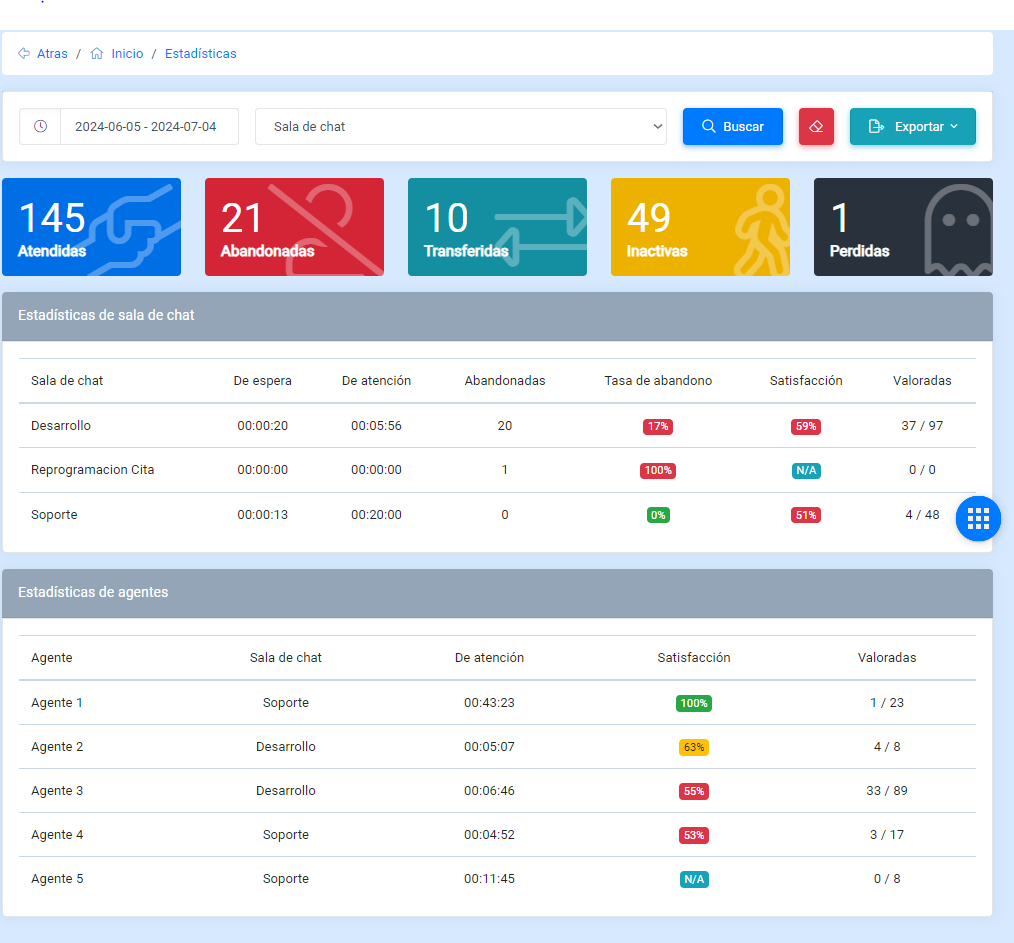
With this control, you can search by date to view detailed information about conversations, options, agents, and chatrooms.

Handled
These conversations are those that were assigned to an agent.
Abandoned
These conversations are those that were abandoned; in other words, they were not handled by agents.
Transferred
These are conversations that were transferred to a department or to an agent.
Inactive
These conversations are those that were closed due to inactivity. If the user or the agent did not write or respond in time, they are counted in this metric.
Lost
These conversations, like abandoned and inactive conversations, are only counted when they were transferred.
Chatroom statistics
This section displays chatroom statistics.
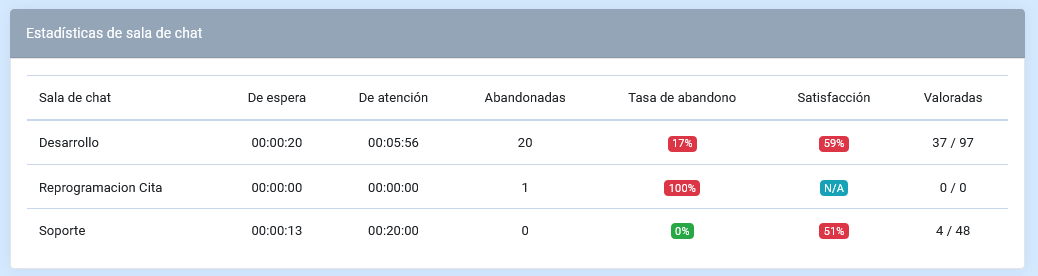
The table shows the following:
- Chatroom: indicates the name of the chatroom.
- Waiting time: indicates how long conversations remain waiting.
- Handling time: indicates the time spent handling users.
- Abandoned: indicates the number of abandoned conversations.
- Abandonment rate: indicates the abandonment rate of the chatroom.
- Satisfaction: indicates the satisfaction level of the chatroom.
- Rated: shows the number of rated conversations and the total number of conversations, using the following format: (number of rated conversations / total number of conversations).
Agent statistics
This section displays agent statistics.
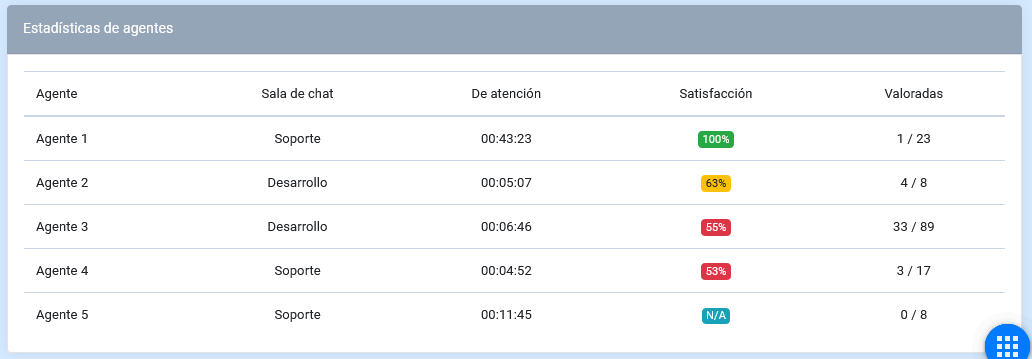
- Agent: indicates the agent’s name.
- Chatroom: shows the chatroom to which the agent is assigned.
- Handling time: indicates the time spent handling users.
- Satisfaction: indicates the satisfaction level associated with the agent.
- Rated: shows the number of rated conversations and the total number of conversations, using the following format: (number of rated conversations / total number of conversations).