Shared
In this section, you can view and download files uploaded to the conversation.
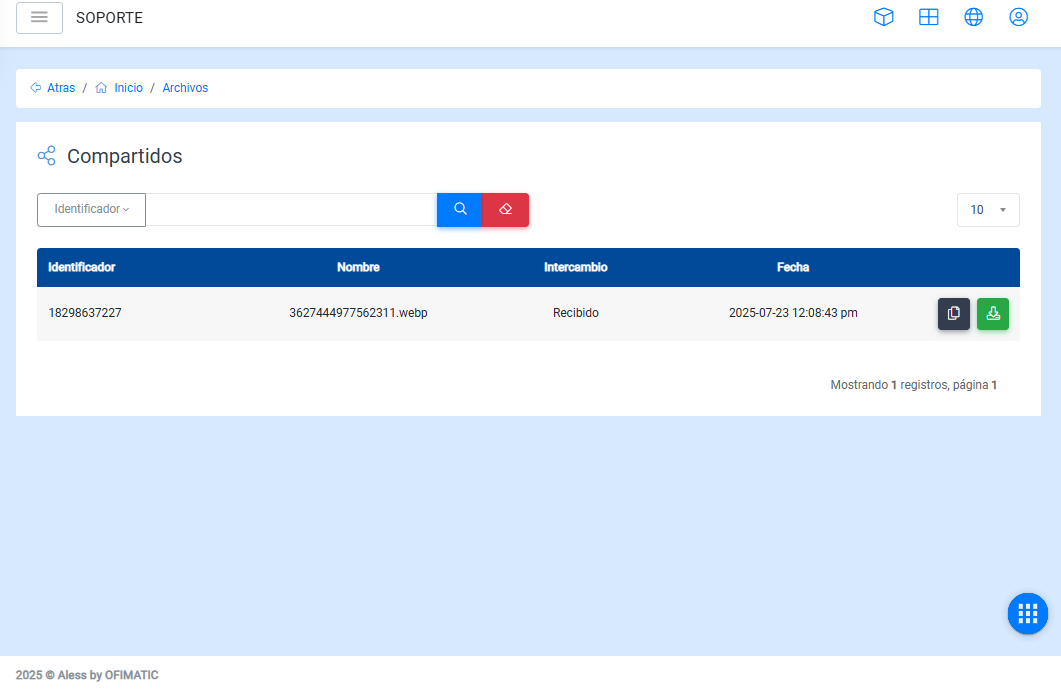
The following table describes the history:
- Identifier: name or phone number added by the user to save the created conversation.
- Name: file name.
- Date: date when the file was uploaded to the conversation.
- Options: allows you to download a file from the history.
Table content
In the table, you can:
-
Find a file using the
Searchoption, located below the upper-left corner. -
Modify the number of files displayed per page.
Considerations
To view previously uploaded files, go to the end of the table and navigate using the arrows located in the lower-right corner.