AI functions
In this section, you can create and modify the functions that the AI Agent can access and use during a conversation. Through these functions, the AI Agent can use integrations with third-party services previously configured in the services or integrations section.
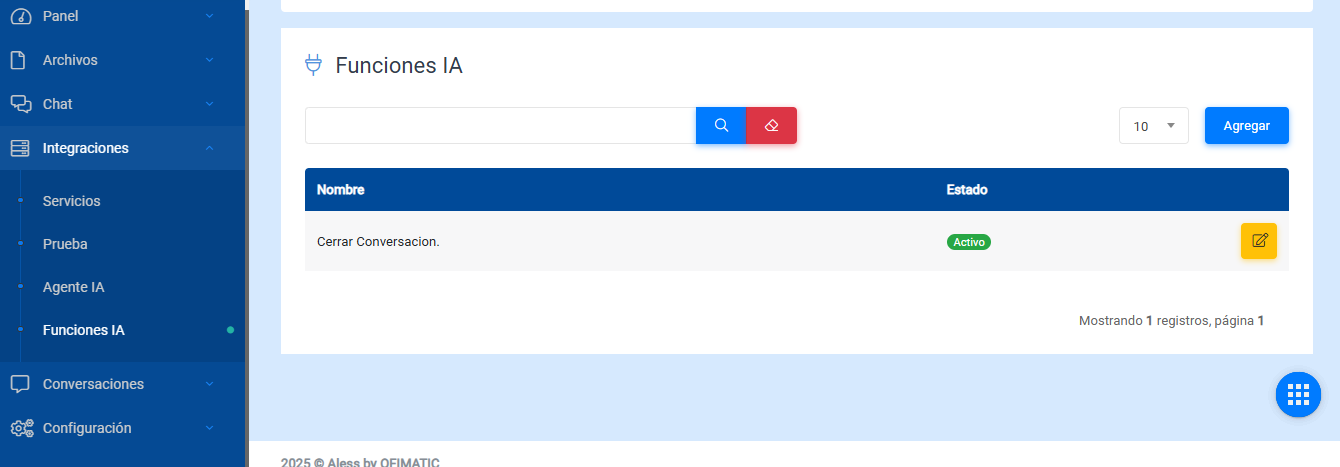
- Name: name of the AI function.
- Status: indicates whether the AI function is active or inactive. By default, this option is enabled.
- Options: allows you to edit the AI function.
Considerations
AI functions cannot be deleted. They can only be modified to change how they work.
Create or edit
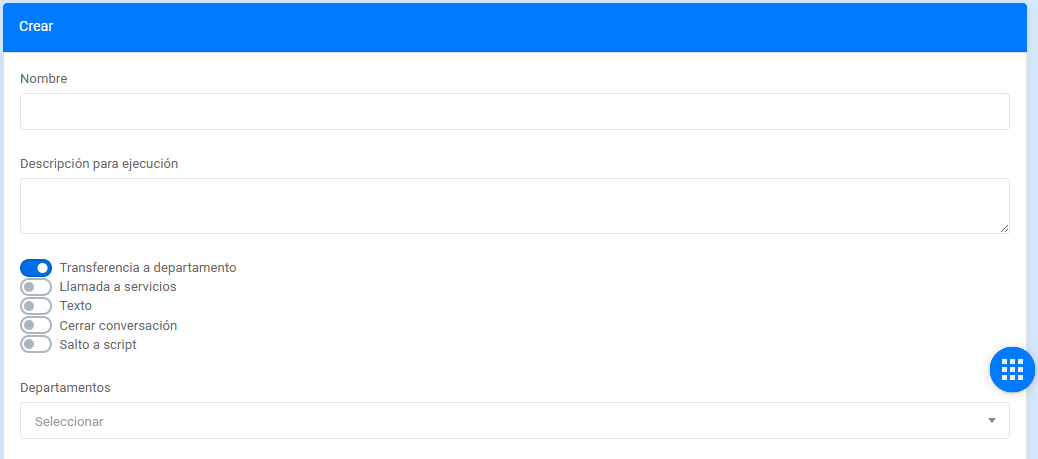
- Name: name of the AI function.
- Description: allows you to describe the AI function that the AI Agent will use.
- Transfer to department: allows you to send the conversation to a department.
- Service call: allows you to execute a service or integration. When this option is selected, the Output message field is enabled, where you enter the text that will be displayed, and the Services field is enabled, where you select the service to execute.
- Text: enables the Output message field, where you enter the text that will be displayed.
- Jump to script: allows you to execute a script. When this option is selected, the Output message field is enabled, where you enter the text that will be displayed, and the Jump to script field is enabled, where you select the script to execute.
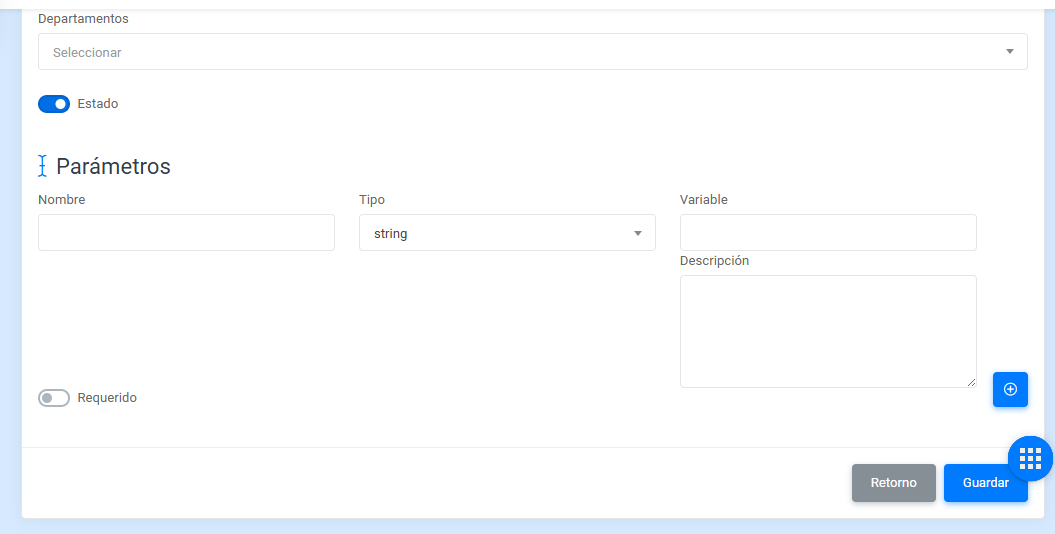
- Name: parameter name.
- Type: defines the variable type. By default, the value is
string. - Variable: variable name.
- Description: variable description.
Considerations
The supported variables are: string, float, int, and bool.
- Return: returns to the AI functions view without saving the changes.
- Save / Update: saves the changes made.